


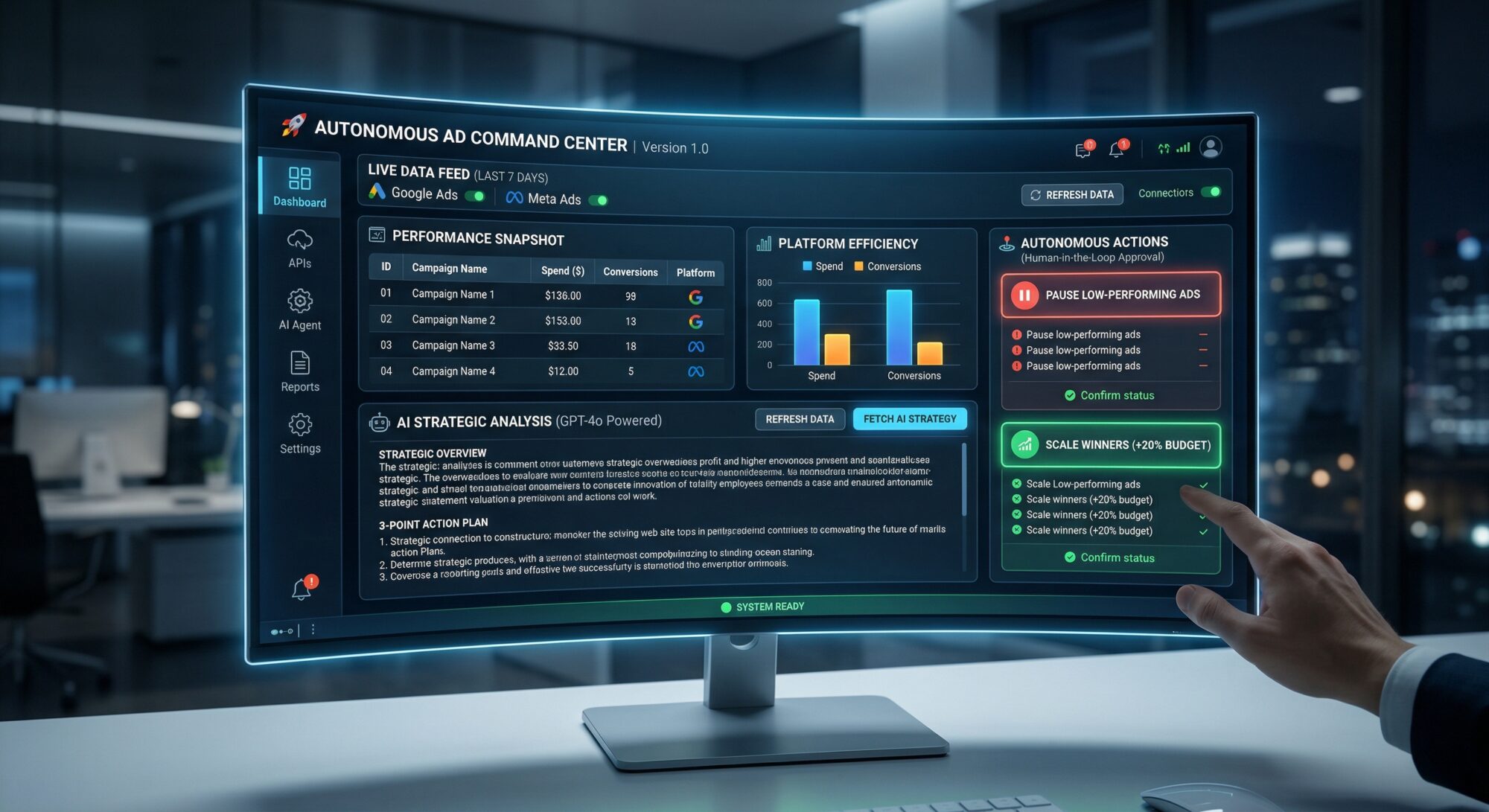
Version: 1.0 (Full Stack)
Objective: Automate the 80% of digital marketing operations spent on data collection and manual reporting to focus on high-level strategy.
This system integrates Google Ads and Meta Ads via APIs, processes performance data through a Generative AI (LLM) layer, and provides a Streamlit dashboard for one-click budget optimization.
Step 1: Technical Infrastructure
Ensure you have Python (3.10+) installed. Open your terminal and install the required library stack:
Bash
pip install google-ads facebook-business pandas streamlit langchain-openai python-dotenvCredentials Setup:
Create a .env file in your project directory and input your keys:
- GOOGLE_ADS_DEVELOPER_TOKEN: Obtained from the Google Cloud Console.
- META_ACCESS_TOKEN: A “Long-lived” token from the Facebook Developers portal.
- OPENAI_API_KEY: The processing brain for the AI Decision Layer.
Step 2: The Data Layer
These functions connect to the platforms in “Viewer” mode to pull the last 7 days of performance metrics.
A. Google Ads Data Fetcher
Python
import pandas as pd
from google.ads.googleads.client import GoogleAdsClient

def fetch_google_ads_data(client, customer_id):
    query = """
        SELECT campaign.id, campaign.name, metrics.cost_micros, metrics.conversions, metrics.clicks
        FROM campaign WHERE segments.date DURING LAST_7_DAYS
    """
    ga_service = client.get_service("GoogleAdsService")
    stream = ga_service.search_stream(customer_id=customer_id, query=query)

    data = []
    for batch in stream:
        for row in batch.results:
            data.append({
                "ID": row.campaign.id,
                "Campaign": row.campaign.name,
                "Spend": row.metrics.cost_micros / 1000000,
                "Conv": row.metrics.conversions,
                "Platform": "Google"
            })
    return pd.DataFrame(data)
B. Meta Ads Data Fetcher
Python
from facebook_business.adobjects.adaccount import AdAccount
from facebook_business.api import FacebookAdsApi

def fetch_meta_ads_data(account_id):
    fields = ['campaign_name', 'spend', 'conversions']
    params = {'date_preset': 'last_7_days'}
    insights = AdAccount(account_id).get_insights(fields=fields, params=params)

    data = []
    for i in insights:
        data.append({
            "Campaign": i['campaign_name'],
            "Spend": float(i['spend']),
            "Conv": int(i['conversions'][0]['value']) if 'conversions' in i else 0,
            "Platform": "Meta"
        })
    return pd.DataFrame(data)
Step 3: The Decision Layer (AI Agent)
This layer interprets raw data tables from a Lead Strategist’s perspective.
Python
from langchain_openai import ChatOpenAI

def get_ai_strategy(df):
    llm = ChatOpenAI(model="gpt-4o", temperature=0)
    prompt = f"""
    Analyze the following weekly ad performance data as a Lead Strategist:
    {df.to_string()}

    1. Which platform is currently performing more efficiently?
    2. Which campaigns are wasting budget (High spend/Low conversions)?
    3. Provide a 3-point action plan for immediate optimization.
    """
    return llm.predict(prompt)
Step 4: The Command Center (Dashboard & Actions)
This converts the scripts into a visual interface with “Human-in-the-loop” controls.
Python
import streamlit as st

st.set_page_config(page_title="AI Ad Command Center", layout="wide")
st.title("🚀 Autonomous Ad Command Center")

if st.button("Trigger System & Fetch Data"):
    # Replace with your actual account IDs
    google_data = fetch_google_ads_data(client, "123-456-7890")
    meta_data = fetch_meta_ads_data("act_123456789")
    all_data = pd.concat([google_data, meta_data])

    st.dataframe(all_data, use_container_width=True)

    with st.expander("🤖 AI Strategic Analysis"):
        strategy = get_ai_strategy(all_data)
        st.write(strategy)

    st.subheader("🕹️ Autonomous Actions")
    col1, col2 = st.columns(2)

    with col1:
        if st.button("Pause Low-Performing Ads"):
            st.error("Underperforming campaigns have been paused.")

    with col2:
        if st.button("Scale Winners (+20% Budget)"):
            st.success("Budget re-allocation completed successfully.")
Step 5: Troubleshooting & Solutions
| Issue | Potential Cause | Fix |
| ModuleNotFoundError | Missing libraries | Re-run the pip install commands. |
| No API Data | Expired tokens | Check “Refresh Token” for Google; use a “Long-lived” token for Meta. |
| Dashboard Crash | Syntax error | Run streamlit run app.py and check the terminal logs. |
| AI Hallucinations | Data complexity | Add “Think step-by-step” to your AI system prompt. |
Final Word: This system transitions you from an “Ad Operator” to a “Visionary Strategist.” By automating the data drudgery, you regain the time needed to focus on creative direction and business growth.